
Appraizor checks your UAD 3.6 report against all 728 GSE compliance rules before you submit. Catch errors before UCDP rejects your report.
Compliance rules are fatal errors
One mistake = rejected report. There is no override, no partial pass, and no explanation until UCDP sends it back.
Appraizor runs all 728 published compliance rules on your report before submission. You see exactly what UCDP will flag — while you can still fix it.
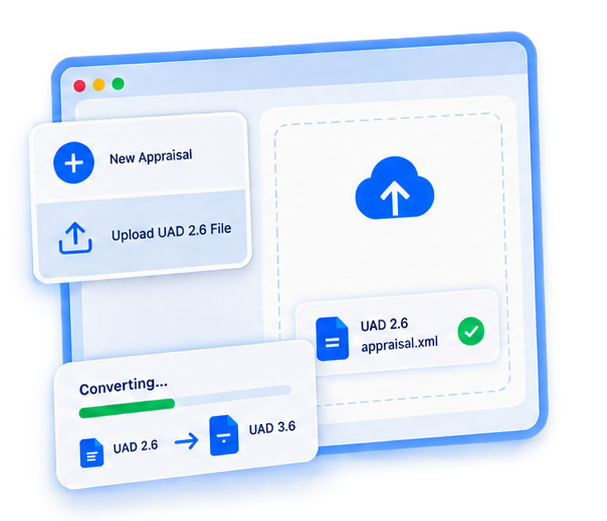
Create a new appraisal or upload an existing UAD 2.6 file. Appraizor converts your data to the UAD 3.6 format.
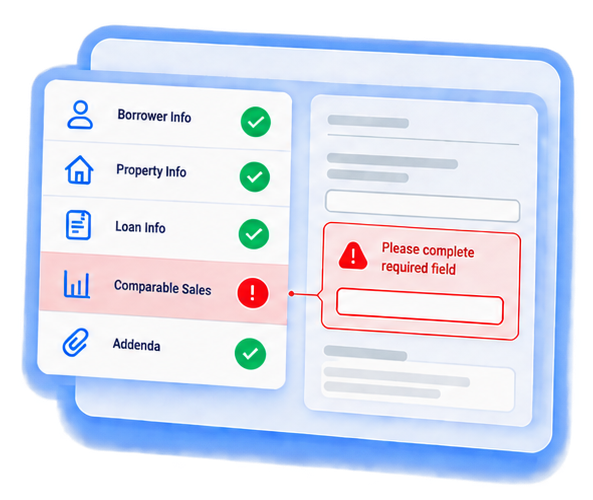
Work through each section. Appraizor checks your entries in real time and flags problems as you go.
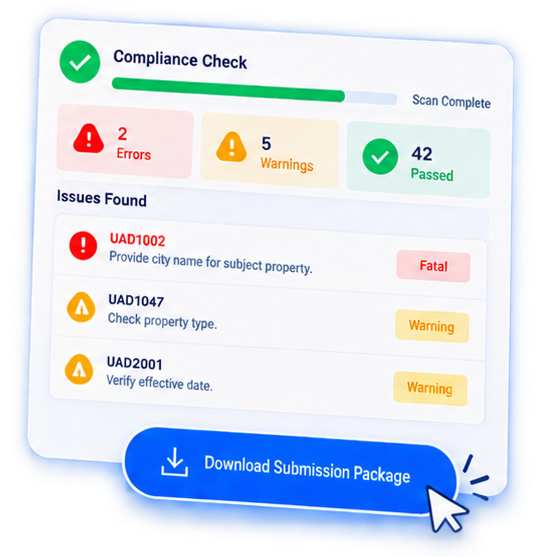
Run the full compliance check. See every issue with the exact UCDP error code. Fix what needs fixing. Download your submission package.
Already have reports in the old format? Upload your UAD 2.6 XML file. Appraizor maps your data to the new structure, shows you what is missing, and lets you complete the report in the new format.
Other tools check your report after you submit to UCDP. By then, you are already waiting for rejection messages. Appraizor runs the same rules before you submit.
When Appraizor finds a problem, you see the same error code and message that UCDP would show. No guessing. No translation. You know exactly what to fix.
Moving from UAD 2.6? Upload your existing XML and Appraizor converts it to the new format. Your data carries over. You fill in what is new.
Appraizor is free during the beta period.
See how Appraizor can help you submit clean UAD 3.6 reports. We will walk you through the product and answer your questions.